KDP Interior Glucose Monitor: Custom Templates
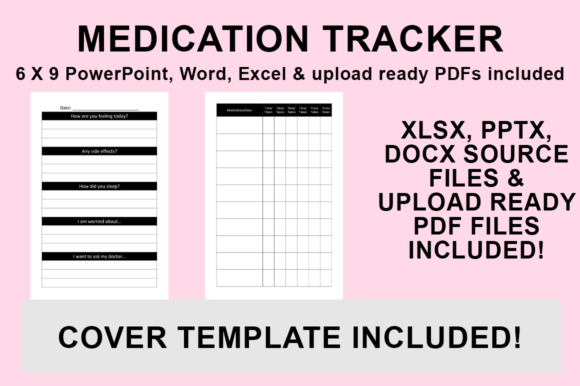
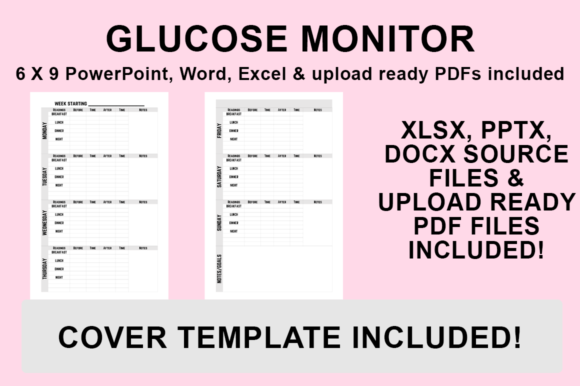
Creating a health tracking journal for Amazon KDP requires more than just lined paper; it demands a functional layout that serves a specific medical or wellness purpose. The KDP Interior - Glucose Monitor template provides a structured foundation for publishing blood sugar logs, but its true value lies in the editable source files. Unlike static PDF interiors that lock you into a single design, this resource includes PowerPoint, Word, and Excel files alongside a print-ready PDF. This flexibility allows publishers, healthcare educators, and individuals to tailor the interior to specific diabetic management needs, ensuring the final product is both clinically useful and commercially distinct.
Why Editable Source Files Matter for Health Journals
In the low-content and medium-content book market, saturation is a common challenge. A generic glucose log may struggle to find an audience when hundreds of identical options exist. By providing source files in familiar office software, this template shifts the focus from mere uploading to genuine product creation. For entrepreneurs and small business owners, this means the ability to rebrand, adjust column widths for different data points, or add proprietary branding without hiring a graphic designer. For individuals managing their own health or creating resources for family members, it offers the chance to customize font sizes for readability or add personal motivational graphics that mass-market journals lack.
The inclusion of multiple file formats addresses different workflow preferences. Excel is ideal for those who want to ensure mathematical precision in table structures or automate date sequences before exporting. Word suits users focused on typography, introductory text, and narrative sections like dietary notes or doctor contact pages. PowerPoint appeals to visual creators who prefer drag-and-drop layout control and easy integration of charts or icons. Regardless of the chosen tool, the output remains consistent: a 6″x9″ document formatted with no bleed, specifically optimized for KDP’s printing specifications.
Diverse Applications Across User Groups
Different audiences approach glucose monitoring with varying priorities, and a customizable template accommodates these nuances effectively.
- Healthcare Educators and Clinicians: Professionals often need journals that align with specific patient education protocols. A standard template might not include space for insulin dosage, carbohydrate counting, or ketone levels. With editable files, clinicians can modify headers to match their teaching materials, creating a cohesive resource for patients newly diagnosed with diabetes or gestational diabetes.
- KDP Publishers and Marketers: For those building a portfolio of health-related books, differentiation is key. Marketers can use the source files to create niche-specific variations, such as a "Senior-Friendly Large Print Glucose Log" or a "Fitness-Focused Blood Sugar Tracker." This segmentation strategy relies entirely on the ability to modify the base template rather than starting from scratch.
- Caregivers and Family Members: Managing diabetes for a loved one often involves tracking patterns that commercial journals overlook. A caregiver might need wider writing spaces for elderly parents with limited dexterity or additional columns for medication timing. Customizing the interior ensures the tool actually reduces cognitive load rather than adding frustration.
- Hobbyists and Personal Users: Some individuals simply want a physical record that matches their personal aesthetic or organizational system. The ability to choose fonts and add graphics transforms a clinical chore into a personalized wellness practice, increasing the likelihood of consistent daily use.
Evaluating Quality and Practical Utility
When selecting a KDP interior for health tracking, technical accuracy is non-negotiable. This template’s adherence to 6″x9″ dimensions with no bleed eliminates common publishing errors that lead to rejected manuscripts or truncated content. However, beyond technical specs, users should evaluate the template based on long-term usefulness and presentation quality.
Presentation and Readability: Glucose monitors are used by people with varying degrees of visual acuity. The ability to adjust font weight, spacing, and contrast directly impacts accessibility. A high-quality interior prioritizes clear data entry zones over decorative clutter. Since this template allows full styling control, users can test print samples to verify that gray tones print clearly on standard KDP paper and that writing spaces accommodate different pen types.
Flexibility vs. Speed: Beginners may initially gravitate toward the pre-made PDF for speed. While this gets a book published quickly, it limits commercial potential. Experienced creators understand that investing time in customizing the PowerPoint or Word file yields higher returns through unique selling propositions. The learning curve for these programs is minimal compared to professional design software like InDesign, making this a practical middle ground for skill development.
Commercial Value and Licensing: For sellers, the value proposition extends beyond a single book. Owning the source files means unlimited derivative works. One master template can spawn a series of trackers for different demographics, languages, or medical conditions. This scalability is impossible with locked PDFs and represents significant long-term asset value for publishing businesses.
Step-by-Step Guide to Preparing Your File for KDP
Transitioning from a customized document to a publishable asset requires precise export settings. Even the best-designed interior will fail if the PDF metadata or compression settings are incorrect. Follow this standardized process to ensure your modified Glucose Monitor meets platform requirements.
- Finalize Customizations: Open your preferred source file (PowerPoint, Word, or Excel). Make all necessary adjustments to fonts, formatting, tables, and graphics. Verify that all elements remain within the safe zone margins appropriate for a 6″x9″ no-bleed book. Double-check that page counts align with KDP’s minimum requirements for paperback binding.
- Access Export Options: Navigate to the ‘File’ menu in your application. Select ‘Save As’ rather than ‘Export’ to access the most reliable PDF conversion engine within Microsoft Office suites. This method typically preserves vector quality better than third-party converters.
- Designate Storage Location: Choose a dedicated folder for your KDP assets. Maintaining organized version control prevents accidental uploads of draft versions. Consider naming conventions that include trim size and edition details for future reference.
- Select Correct File Format: From the ‘Save as type’ dropdown menu, explicitly select ‘PDF (*.pdf)’. Do not rely on default settings, as some applications may default to .docx or .pptx formats. Ensure any available PDF optimization settings are set to ‘Standard’ or ‘Print’ quality rather than ‘Minimum Size,’ which can degrade table lines and text sharpness.
- Save and Validate: Click Save to generate the file. Before uploading to KDP, open the PDF in a dedicated viewer (not the original editing program) to verify pagination, margin integrity, and font embedding. Use KDP’s Previewer tool to confirm the no-bleed configuration displays correctly without warning flags.
Making the Right Choice for Your Project
This KDP Interior - Glucose Monitor template serves as a versatile starting point, but its suitability depends on your specific objectives. If you require a completely unique layout with complex data visualization or specialized medical charts, you may eventually need professional design services. However, for standard blood sugar logging, meal tracking, and symptom recording, the provided Office-compatible files offer an optimal balance of customization and convenience.
Beginners should start by modifying the existing PDF structure slightly before attempting full redesigns, using the experience to learn KDP’s technical constraints. Established publishers can leverage the source files to rapidly expand their health niche catalog with professionally formatted interiors that maintain brand consistency. Ultimately, the decision should hinge on whether the template’s 6″x9″ format and editable nature align with your target reader’s needs. When used thoughtfully, this resource bridges the gap between generic content and valuable health management tools, supporting both successful publishing ventures and effective personal wellness tracking.