KDP Interior: Playlist Book Design Templates
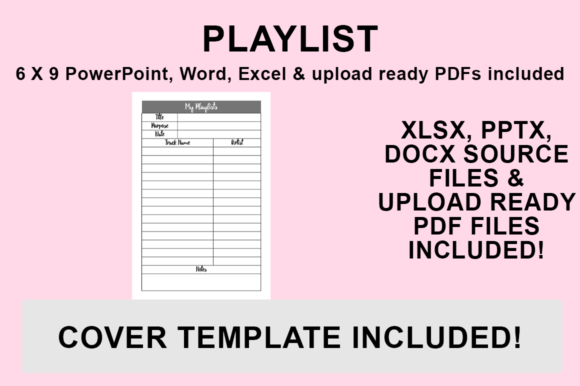
Transforming a simple music log into a visually compelling product requires more than just lined paper; it demands intentional graphic design that resonates with your specific audience. A professionally crafted KDP Interior - Playlist Book serves as both a functional journal and an aesthetic experience, bridging the gap between utility and creative expression for self-publishers. When utilizing editable PowerPoint, Word, and Excel template files, designers gain the flexibility to establish a unique visual identity rather than relying on generic layouts. This approach ensures that every page reflects modern aesthetics and thoughtful typography, turning a standard low-content book into a premium creative asset that stands out in a crowded marketplace.
The Role of Editable Source Files in Visual Communication
In the realm of editorial design and print publishing, access to source files is paramount for maintaining brand consistency and achieving professional presentation standards. Unlike static PDFs, having PowerPoint, Word, and Excel templates allows creators to manipulate visual hierarchy, adjust spacing, and integrate custom graphics seamlessly. This level of control is essential for effective visual communication, ensuring that the interior design aligns with the cover art and overall marketing materials. For designers and business owners, this means the ability to apply specific color palettes, logo placements, or thematic elements that reinforce brand identity across multiple products.
The inclusion of a print-ready PDF alongside editable source files offers a dual advantage for workflow efficiency. While the PDF provides an immediate upload solution for those satisfied with the default styling, the source files empower users to engage in deeper customization. This is particularly relevant for creators focusing on niche markets where specific design trends or cultural references must be accurately represented through typography and layout choices.
Technical Specifications and Print Design Standards
Successful print design relies heavily on understanding technical constraints and formatting requirements. These playlist book templates are specifically engineered at 6″x9″ with NO BLEED, a critical specification for Amazon KDP interiors. Adhering to these dimensions prevents content from being trimmed during production and ensures a clean, professional finish. From a UX design perspective, proper margin management and grid alignment contribute significantly to readability and user satisfaction, making the journaling process intuitive rather than frustrating.
Customizing Your Creative Assets for Maximum Impact
To truly differentiate your publication, consider how typography and composition influence the user's emotional connection to the book. Selecting fonts that match the intended mood—whether minimalist sans-serif for modern playlists or ornate serifs for vintage collections—enhances the overall narrative. Integrating original graphics or curated imagery can further elevate the editorial layout, transforming blank spaces into opportunities for visual storytelling. This attention to detail mirrors best practices in packaging design and advertising campaigns, where every element serves a strategic purpose.
When evaluating which template to customize, keep these design principles in mind:
- Visual Hierarchy: Ensure headers and input fields are distinct to guide the user’s eye naturally through the page.
- Consistency: Maintain uniform margins, font sizes, and stylistic elements throughout the manuscript to create a cohesive reading experience.
- Scalability: Choose vector-based graphics or high-resolution images that remain crisp when printed at 6x9 dimensions.
- Audience Alignment: Tailor the complexity of the layout to match the expectations of your target demographic, whether they prefer structured data entry or freeform creative space.
Exporting Production-Ready Files for KDP
Translating your customized design into a format suitable for digital printing requires precise export settings to preserve quality. Following a standardized workflow ensures that your typography, colors, and graphics render exactly as intended without compression artifacts or formatting shifts. Use the following process to generate your final deliverable:
- Open your desired PowerPoint, Word, or Excel file and implement all changes, including font adjustments, formatting refinements, and additional graphics.
- Navigate to ‘File’ and select ‘Save As’ to initiate the export dialogue.
- Choose your preferred destination folder for organizing your creative projects and assets.
- From the ‘Save as type’ dropdown menu, strictly select PDF (.pdf) to ensure compatibility with KDP specifications.
- Click Save to generate the file, which is now optimized and ready for upload to the KDP platform.
Ultimately, the quality of your KDP Interior - Playlist Book hinges on the intentionality behind your design decisions. By leveraging editable templates and adhering to professional print standards, you move beyond basic functionality to create a product that offers genuine value and aesthetic pleasure. Thoughtful application of typography, color, and layout not only improves the immediate usability of the journal but also strengthens your reputation as a creator who understands the intersection of form and function. Investing time in these visual details ensures your work communicates professionalism and care, fostering better engagement and long-term success in the digital publishing landscape.